
Download Ubuntu Phone Experience – ubuntu phone experience, android launcher, ubuntu os, ubuntu phone, ubuntu interface, ubuntu theme, ubuntu app, ubuntu phone emulator
Overview
The Ubuntu Phone Experience APK offers users a unique opportunity to explore the distinctive interface and interaction model of the Ubuntu mobile operating system without owning a physical Ubuntu phone. Designed for Android users, this application reimagines the standard Android experience by introducing gesture-based navigation, a streamlined home screen layout, and a visual language inspired by Ubuntu’s design philosophy. The app aims to deliver a fresh, immersive alternative to conventional Android launchers, focusing on fluidity, simplicity, and intuitive touch interactions.
Targeted primarily at tech enthusiasts, developers, and early adopters interested in alternative mobile operating systems, the software provides a hands-on preview of Ubuntu’s mobile vision. It is especially appealing to users who are curious about open-source ecosystems or those exploring the potential of rooted Android devices. While the app does not replicate the full functionality of a native Ubuntu OS, it simulates core UX elements, allowing users to experience swiping gestures, app launching from any screen edge, and sidebar navigation.
The developer, Moe, has positioned the app as a free, accessible gateway into the Ubuntu mobile experience. It is available for download outside the official Google Play Store, suggesting a focus on community-driven access and independence from major app distribution platforms. The app’s release date of September 15, 2023, marks its entry into the Android customization space as a lightweight yet ambitious tool for digital exploration.
Key Features & Capabilities
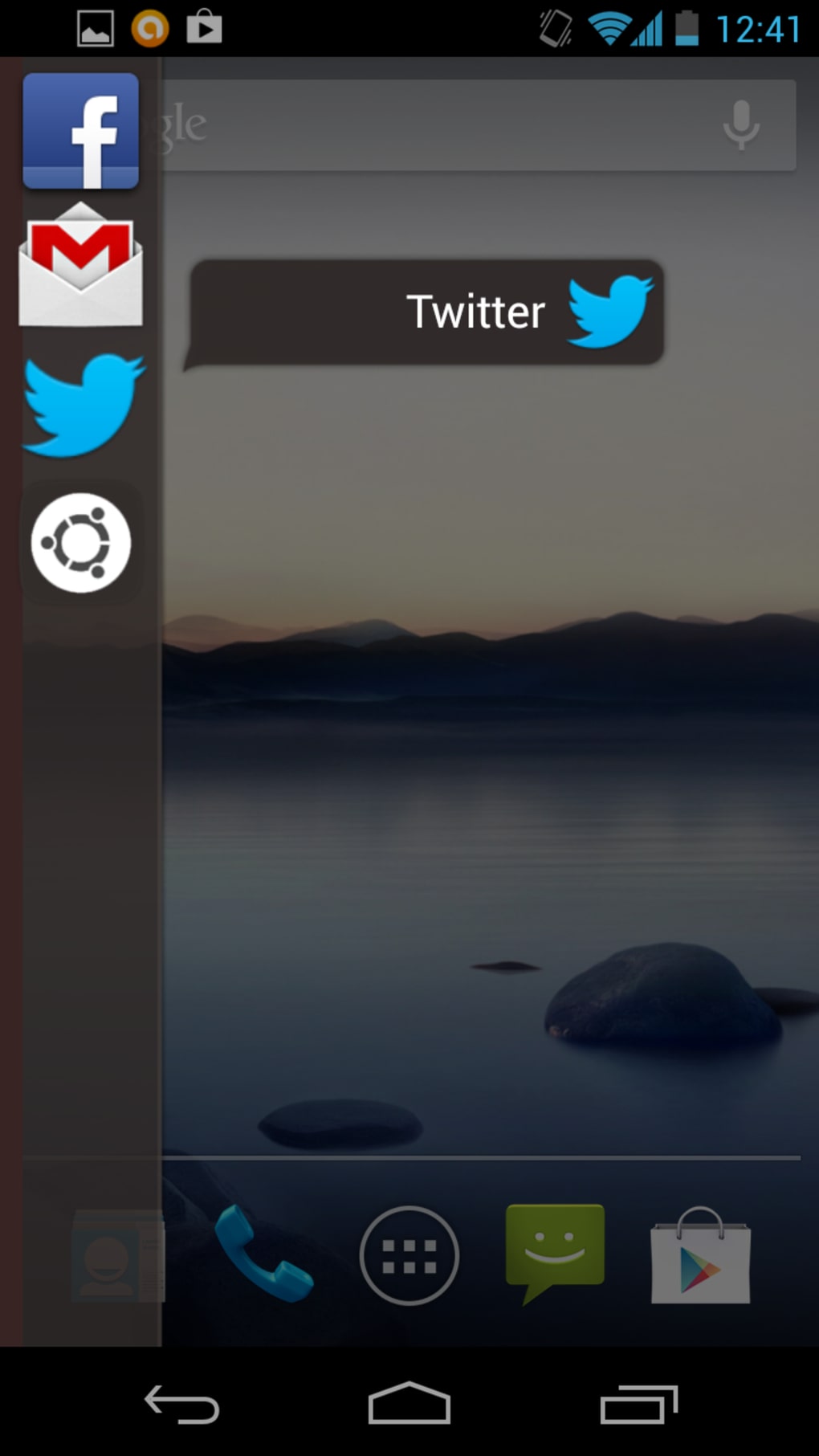
- Gestural Navigation System – Implements swipe-based interactions similar to the original Ubuntu Phone, allowing users to launch apps by swiping from the edge of the screen, enabling quick access without traditional app drawers.
- Ubuntu-Inspired Interface Design – Features a clean, minimalistic UI with a focus on typography, consistent spacing, and a unified color palette reflecting Ubuntu’s aesthetic principles.
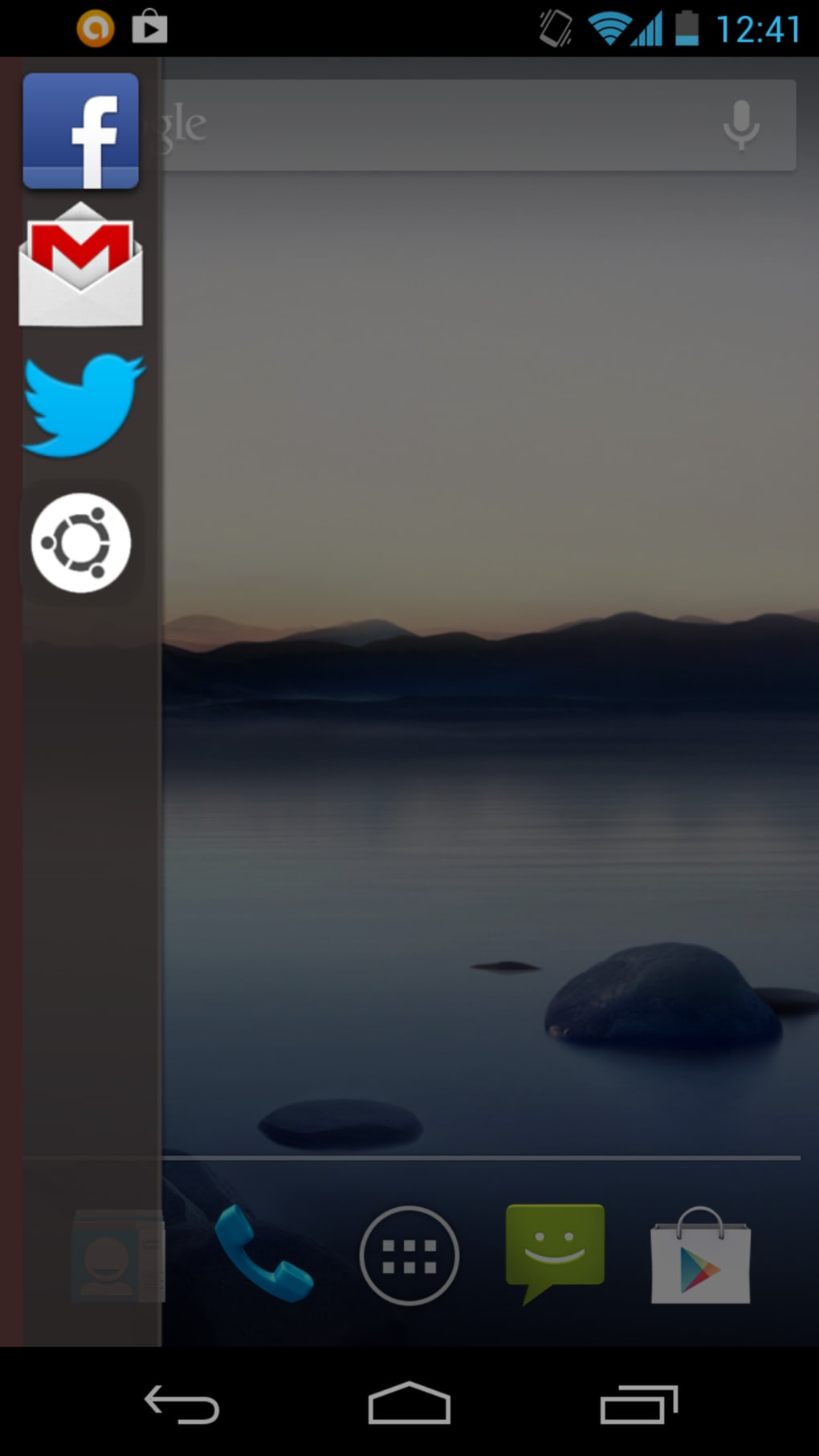
- Dynamic Sidebar Navigation – Provides a customizable sidebar that can be accessed via edge swipes, offering shortcuts to frequently used apps and system settings.
- Theme Customization – Supports multiple visual themes, allowing users to personalize the look and feel of the interface to match their preferences.
- Device Compatibility – Designed to function across a wide range of Android devices and custom ROMs, ensuring broad accessibility for users with varying hardware.
These features collectively aim to recreate the essence of Ubuntu’s mobile experience, emphasizing fluid motion, gesture control, and a distraction-free environment. For users exploring alternative operating systems, this app offers a practical way to test interface paradigms before committing to new hardware. The ability to simulate Ubuntu’s signature interactions—such as app launching through edge swipes—provides a tangible sense of how the original OS functioned, making it a valuable educational and experimental tool.
User Interface, Workflow & Performance
The user interface of Ubuntu Phone Experience is structured around gesture-driven navigation, minimizing reliance on on-screen buttons and maximizing screen real estate. The home screen presents a grid of app icons arranged in a clean, symmetrical layout, with consistent spacing and typography. The sidebar, accessible via edge swipes, serves as the central hub for app access and system controls, offering a centralized yet non-intrusive navigation method.
Workflow efficiency is enhanced by the app’s emphasis on touch gestures. Users can launch applications from any screen position by swiping from the edge, reducing the need to navigate back to the home screen. This design promotes a continuous, fluid experience, particularly beneficial for users accustomed to modern gesture-based systems. The interface is responsive, with transitions between screens and gestures executed smoothly, though exact performance data was not specified.
Stability and resource usage details were not provided by the developer. However, given the app’s size of 20 MB and its nature as a launcher-level utility, it is expected to have a low impact on system resources. The developer did not specify CPU or RAM behavior, nor did they outline known issues or crash patterns. General software behavior suggests that the app functions reliably on supported devices, but users are advised to monitor performance on older or low-end hardware.
Compatibility & System Requirements
Ubuntu Phone Experience is designed for Android devices and supports a wide range of Android versions and hardware configurations. It is compatible with most Android devices and custom ROMs, allowing users to install and run it regardless of their device manufacturer or model. The app’s file size is 20 MB, indicating a lightweight footprint that should not strain storage space on most devices.
Exact system requirements were not listed by the developer. This includes the minimum Android version, required permissions, and hardware specifications such as GPU or RAM. The developer did not provide information on whether root access is required for full functionality. Platform compatibility information is limited to general claims of broad device support, with no official certification or testing details provided.
Pros and Cons
Pros
- Free to download and use, eliminating financial risk for users.
- Offers a complete simulation of the Ubuntu mobile interface, not just a cosmetic skin.
- Supports gesture-based navigation, enhancing usability and immersion.
- Available for a wide range of Android devices and ROMs.
- Lightweight at 20 MB, suitable for devices with limited storage.
Cons
- Exact system requirements and compatibility details were not provided.
- Performance and resource usage were not officially documented.
- Requires external download, bypassing official app stores.
- Limited official support or update frequency information.
- May not function optimally on older or low-end devices without further optimization.
FAQ Section
Is Ubuntu Phone Experience available on Google Play?
The app was previously available on the official Android store but has since been removed. It is now distributed via external links, which may require enabling installation from unknown sources.
Do I need to root my Android device to use this app?
Root access is not required for basic functionality. However, advanced customization options may benefit from rooted devices.
Is the app safe to download and install?
As with any third-party application, users should download from trusted sources. The app is free and does not contain known malware, but it’s recommended to scan the APK before installation.
Can I use this app on any Android device?
The app is designed to work on most Android devices and custom ROMs. However, compatibility may vary depending on device specifications and software configuration.
Does the app require an internet connection to function?
Once installed, the app operates offline. Some features may require internet access for updates or theme downloads, but core functionality is available without connectivity.
Final Thoughts
Ubuntu Phone Experience delivers a compelling and authentic preview of the Ubuntu mobile interface, offering Android users a rare chance to explore a distinctive alternative to mainstream operating systems. Its gesture-driven design, clean aesthetic, and broad compatibility make it a valuable tool for experimentation and learning. While it lacks official documentation on system requirements and performance, its lightweight nature and free availability reduce barriers to entry.
For developers, open-source advocates, and mobile enthusiasts eager to experience the vision behind Ubuntu’s mobile platform, this app is a worthwhile download. It successfully bridges the gap between curiosity and firsthand experience without requiring a dedicated device.
Download Ubuntu Phone Experience now





.png)

